Best Laptop Accessories for Working From Home (2026 Guide)
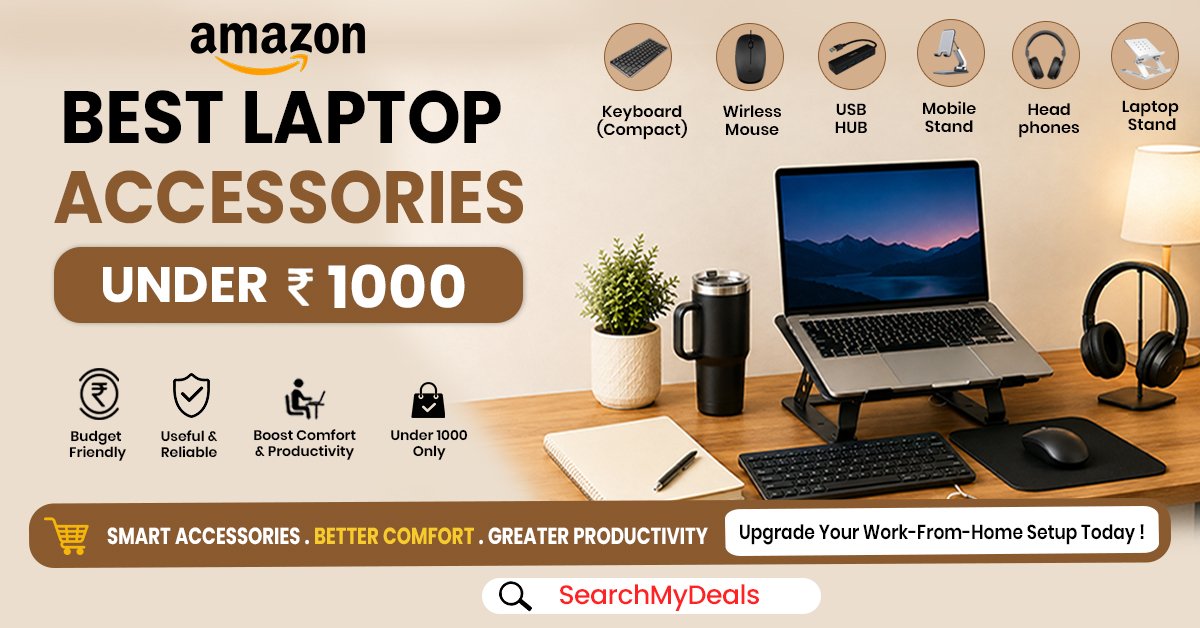
Working from home is convenient but sitting for tens of hours on the laptop is not so easy without a proper setup. A few accessories can make a significant difference to your daily work, improving the laptop stand, desk organization, and typing experience.
The best part is that most of them are easy to find and inexpensive!
From laptop stands and keyboard/mouse combos to USB hubs, desk lamps, and footrests, Amazon has an excellent variety of laptop accessories to offer.
In this article, you can find the best laptop accessories for working from home and understand what benefits they bring.
1. Adjustable Laptop Stand – Improve Your Screen Position
An adjustable laptop stand is one of the most useful accessories for a work-from-home setup. Using it, you can elevate your laptop screen to a comfortable viewing height.
The Acer Ergo Multifunction Monitor Laptop Stand is a great choice if you want to get a high-quality, multifunctional stand for a relatively low price.
A more affordable option to consider is the Portronics My Buddy K Lite Laptop. Read our detailed blog on this affordable alternative here
Benefits of a stand:
• You can elevate the laptop screen
• Extra space to place a keyboard and mouse
• Makes it easier to create an ergonomic workspace
• Keeps the laptop at a comfortable viewing height
• Great as a desktop organizer, phone holder and adjustable lighting modes
Who needs it: Work-from-home professionals, students, content creators, graphic designers, digital marketers.
2. Wireless Keyboard & Mouse Combo – A Simple Ergonomic Upgrade
A keyboard is sometimes uncomfortable to type on, especially when typing for extended hours. It is even worse if you have elevated your laptop on a stand. Having a separate, wireless keyboard at a more comfortable height can make a tremendous difference.
The same goes for the mouse. The Portronics Key4 Combo is a great budget choice if you want to get a wireless keyboard and mouse combo without breaking the bank.
Why it is useful for WFH:
• Keeps the workspace tidy
• Flexible workspace arrangement
• Great option for an elevated laptop stand
• Enables more comfortable email and office tasks
• Wireless option keeps the desk organized
According to Amazon, keyboards and mouse are among the most popular accessories for computers and offices.
Who needs it: People who use a computer for office, research, writing, or general tasks.
3. USB Hub – Add More Ports to Your Laptop
Modern laptops are getting sleeker and slimmer, which often comes at the expense of the number of ports. If you have a laptop with few ports and like to use a keyboard, mouse, pen drive, or other accessories, a USB hub is a lifesaver. The Portronics Mport 8 Plus is a great option if you want to maximize the functionality of your ports and have extra USB devices within reach whenever you need them.
Why you may need a USB hub:
• More ports equals more options
• Keeps frequently used devices within reach
• Keeps the workspace organized
• Great for laptops with limited ports
• Essential for a desktop computer setup
According to Amazon, USB hubs and adapters are among the most popular accessories for computers and peripheral devices.
Who needs it: People with multiple USB accessories.
4. LED Desk Lamp – Create a Better Work Environment
A well-lit workspace is crucial for productivity. Unfortunately, many people overlook good illumination when organizing their workspace. The Dyazo Overhead Long Arm LED Desk Lamp is a fantastic option if you need extra lighting in your workspace.
A more affordable option is also available on Amazon AKR Matte Black LED Desk Lamp and you can check it out here.
Having a desk lamp is often the best way of controlling the light in your workspace, something that cannot always be achieved with standard ceiling lights.
According to Amazon Business, you may need a desk lamp if you cannot get enough natural light in your workspace.
What to look for in a desk lamp:
• Flexible arm or rotatable lampshade
• Multiple light modes/settings
• Stable base or clamp
• Sufficient light coverage
• Compact size and portability
Who needs it: Students, writers, designers, and people who work late at night.
5. Footrest – Make Long Desk Sessions More Comfortable
A footrest is a simple yet effective way of improving your workspace ergonomics. It helps take the pressure off your legs by giving your feet a comfortable place to rest.
If your chair or desk does not allow your feet to rest comfortably on the floor, you may want to consider a footrest. The IKEA Dagotto Foot-Rest is a fantastic budget option that fits most office setups.
For a more pocket-friendly option, a unique option is the rocking footrest by Macrits, that also works as a massager.
Who needs it: People who spend long hours working at a desk with their feet elevated.
How to Create an Ergonomic Work-From-Home Setup on a Budget
You do not need to invest a lot of money to create an ergonomic workspace. Focus on the accessories that will bring the most benefits to your setup.
Here are some of the best tips for an ergonomic work-from-home setup:
1. Elevate the laptop
2. Add an external keyboard and mouse
3. Support your feet
4. Create an appropriate workspace lighting
5. Minimize cable clutter
6. Take regular breaks
Best Budget WFH Setup: What Should You Buy First?
As mentioned above, you do not have to buy all laptop accessories at once. Here is a short buying guide that can help you get started:
• ₹1,000- ₹1,500: Wireless keyboard & mouse or a budget laptop stand
• ₹2,000- ₹3,000: Laptop stand + Keyboard & mouse combo
• ₹3,000- ₹5,000: USB hub, desk lamp, or footrest
To maximize productivity, invest in the laptop accessories that will bring the most benefits to your workspace setup.
Frequently Asked Questions
What are the best laptop accessories for working from home?
Some of the best laptop accessories for working from home include an adjustable laptop stand, wireless keyboard, wireless mouse, USB hub, desk lamp, and footrest.
Which laptop accessory should I buy first?
It depends on your specific needs, but a good place to start is with an adjustable laptop stand and external keyboard and mouse. Together, they create a basic, ergonomic workspace.
Are laptop stands good for work from home?
Yes, stands are excellent for working from home because you can adjust them to a comfortable viewing height. Additionally, a stand helps free up space on your desk for a keyboard and mouse.
Is a wireless keyboard and mouse worth buying?
Wireless keyboard and mouse combo are a fantastic investment, especially if you decide to use a separate laptop stand. The combo will help you create an ergonomic workspace and improve your productivity.
Do I need a USB hub for my laptop?
If you need to connect multiple accessories to your laptop, such as a keyboard, mouse, pen drive, or external hard drive, you will benefit from a USB hub.
How much should I spend on laptop accessories?
As mentioned above, there is no need to spend too much on laptop accessories. You can get started with the essential items and invest more as you add extra devices to your workspace.
What makes an accessory ergonomic?
An ergonomic accessory lets you work in a position that is most comfortable for your body. Some examples of ergonomic accessories are adjustable laptop stands, office chairs, and footrests.
Are these laptop accessories suitable for students?
Yes, the laptop accessories mentioned above are perfect for students who attend online classes or need to do research, write, or complete assignments on the laptop.