


Home Theatre Setup on a Budget: TVs, Soundbars and Streaming Devices for Festive Movie Nights
- 29 Oct 2026
-
 By Varun Sharma
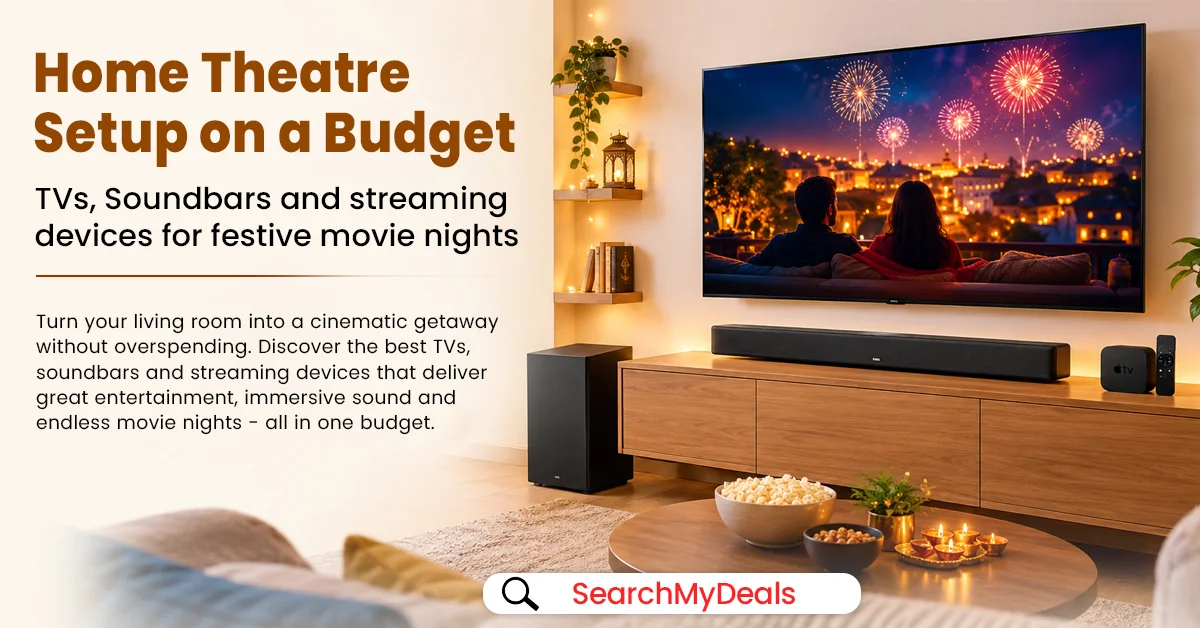
Festive evenings are a great excuse to bring family and friends together for a film, a cricket match or a concert streamed at home. But creating an enjoyable home cinema experience does not necessarily mean buying a large television, an expensive surround-sound system and a pile of accessories at once. A well-planned home theatre setup on a budget starts with understanding what your current setup lacks—and spending on the upgrade that will make the biggest difference.
For many Indian homes, the most practical combination is a suitable smart TV, a soundbar that improves dialogue and overall audio, and a streaming device only if the TV's built-in apps no longer meet your needs. Room size, seating distance, connectivity and the cost of cables or installation also matter.
Here is how to compare the options, avoid compatibility surprises and plan a festive entertainment setup without overspending.
1. Start with the TV: Size, Picture Quality and Smart Features
A television is usually the biggest purchase in a home entertainment setup, so choose it around your room rather than buying the largest screen you can afford.
Match the screen to your viewing distance. A 32–43-inch TV may work well in a compact bedroom or small living room, while a 50–55-inch screen may suit a larger seating area. These are starting points, not strict rules: resolution, room layout and personal preference affect the ideal size. If possible, measure the distance from your usual seat to the screen and compare models in person.
Decide whether 4K is worth the extra cost. A 4K Ultra HD TV can display more detail than a Full HD model, particularly on larger screens and with suitable 4K content. However, not every show, channel or streaming plan delivers 4K. If most of your viewing is standard television or older content, consider the complete price difference before upgrading.
Compare the panel and picture features. LED, QLED and other panel technologies vary in brightness, colour reproduction and contrast. Do not choose based on the technology label alone. Check brightness, viewing angles, motion handling, HDR support and how the screen looks in the lighting conditions of your room.
Check the smart-TV platform. Confirm that your preferred streaming apps are available, the interface is easy to use and the TV receives the features you need. If your existing television has a good picture but slow software or limited apps, replacing it may not be the best use of your budget.
Before buying, check the number of HDMI ports, whether one supports HDMI ARC or eARC, Wi-Fi support, warranty terms, installation charges and the return policy. These details can matter just as much as the advertised screen size.
CHECK PRICES ON AMAZON
2. Improve TV Sound Quality with the Right Soundbar
Thin television designs leave limited room for speakers. If dialogue sounds unclear, action scenes lack impact or you keep turning the volume up and down, a soundbar may be the most noticeable upgrade for your money.
A basic stereo soundbar is a straightforward choice for a small room and everyday viewing. It takes up little space and can make dialogue easier to hear than the built-in speakers of some televisions. Compare voice clarity and available sound modes, not just the wattage printed on the box.
A 2.1-channel soundbar adds a separate or integrated subwoofer for deeper bass. This can be appealing for action films, music and sports. A separate subwoofer does take up floor space, so check its dimensions and whether its placement will be practical in your living room.
A multi-channel system may offer a more enveloping experience, especially when it includes separate rear speakers. But it can cost more, need additional space and involve more setup. For a modest room, a well-matched soundbar may be a better value than buying a larger system whose capabilities you rarely use.
Check the connection before you buy
HDMI ARC/eARC: Often the most convenient option when both the TV and soundbar support the relevant connection. It can let the TV remote control soundbar volume; supported audio formats depend on the connected devices and settings.
Optical audio: A useful alternative if both devices have optical ports. Check format support, because it may not carry every advanced audio format available over HDMI eARC.
Bluetooth: Convenient for music and simple wireless pairing, but it may introduce audio delay in some setups. It is not automatically the best connection for watching films.
Dolby Atmos: Treat this as a compatibility check, not a guarantee of a cinema-like result. The soundbar, TV connection, device settings and content must all support the relevant format. Some systems simulate height effects rather than using dedicated upward-firing speakers.
For the best value, compare the complete package: soundbar, subwoofer if included, cables, mounting hardware, warranty and installation. A low headline price can be less attractive if essential accessories cost extra.
CHECK PRICES ON AMAZON
3. Do You Need a Streaming Device for Your Smart TV?
A streaming stick can add or improve access to online video apps, but it is not compulsory for every home theatre setup. If your current smart TV runs the apps you use smoothly, you may be better off putting that money towards a soundbar.
A streaming device is worth considering if your television is older, its software feels slow, an app you want is unavailable, or you prefer a separate interface and remote. Before buying, check that your TV has an available HDMI port and that your Wi-Fi connection is reliable where the TV is installed.
For example, the Amazon Fire TV Stick 4K Select is a compact streaming option designed for 4K playback on compatible equipment. Amazon's published specifications list HDMI connectivity and support for HDR10+, while the final experience depends on the TV, internet connection, app and content. Check the current product page for the exact model, supported services and regional availability before ordering.
Remember that a streaming stick does not turn an HD television into a 4K display. It also does not automatically include paid subscriptions to streaming services. Account access, subscription charges and app compatibility should be included in your budget.
CHECK PRICES ON AMAZON
4. Build an Affordable Home Cinema Setup That Fits Your Room
Instead of buying every component at once, use your available budget to address the biggest weakness first.
If your TV is old or too small: Prioritise a television that fits your room and has the connectivity you need. You can add a soundbar later.
If your picture is already good but speech is hard to hear: Start by checking the TV's dialogue or voice-enhancement settings. If that does not help enough, compare entry-level soundbars and 2.1-channel options.
If your TV works well but apps are missing or slow: Compare the cost of a streaming stick against replacing the television. A separate device may be the less expensive solution.
If you want a more immersive setup: Consider a soundbar with a subwoofer or a multi-channel system, but make sure the room can accommodate it. Rear speakers need suitable placement and power access, while a subwoofer can sound boomy if positioned poorly.
A simple planning table can help:
| Upgrade priority | Best suited to | What to check |
|---|---|---|
| Smart TV | Outdated screen or limited apps | Size, resolution, panel, HDMI ports and warranty |
| Soundbar | Weak TV audio or unclear dialogue | Channels, subwoofer, ARC/eARC and sound modes |
| Streaming device | Slow or limited smart-TV apps | HDMI, Wi-Fi, app compatibility and subscription costs |
| Cables and mounting | Cleaner, safer installation | Correct cable type, wall compatibility and installation fees |
Do not spend your entire budget on the main device and leave nothing for the practical details. Include a suitable HDMI cable if required, surge protection, wall mounting or a stand, and enough space for airflow around equipment.
CHECK PRICES ON AMAZON
5. Find Better Value During Festive Sales
Festive promotions can make televisions, soundbars and streaming devices more affordable, but the best deal is not always the product showing the biggest percentage discount.
Before checking out, compare the current selling price with recent prices where reliable information is available. Check the exact model number, screen size, included accessories, seller, delivery date, warranty and return conditions. Bank offers, exchange bonuses and no-cost EMI may have eligibility rules, minimum purchase values or other conditions, so read the terms rather than assuming every advertised benefit applies.
Use this quick checklist:
Compare at least two or three models in the same category.
Confirm the exact model and specifications; similar names can hide important differences.
Check whether a soundbar includes a subwoofer and the cables you need.
Confirm HDMI ARC/eARC and audio-format compatibility across your TV, soundbar and streaming device.
Add delivery, installation, mounting and any required subscription costs.
Keep some budget aside for accessories or a future upgrade rather than buying features you may never use.
For many households, the best-value festive entertainment setup is not the most expensive combination. It is a balanced system that suits the room, works with the services you already use and leaves enough flexibility for future upgrades.
Frequently Asked Questions
1. What is the most affordable way to create a home theatre setup?
Start with your existing television. If its picture is satisfactory, a suitable soundbar may provide the most noticeable improvement. Add a streaming device only if you need better app access or performance.
2. Is a soundbar better than a traditional home theatre system?
It depends on your priorities. A soundbar is generally simpler to install and takes up less space. A separate multi-speaker system can provide more flexible surround sound but may require more space, wiring and setup.
3. Can I connect any soundbar to any smart TV?
Not always. Check which audio connections both devices share, such as HDMI ARC/eARC, optical or Bluetooth. Also verify support for the audio formats and features you want to use.
4. Do I need a 4K streaming device for a 4K TV?
Not necessarily. A 4K smart TV may already support your preferred streaming apps. A separate 4K device is useful if you want its interface or app support, but both the TV and the content must support 4K for you to benefit from that resolution.
Make Your Festive Movie Nights More Enjoyable
A good home theatre setup is about the right balance of picture, sound, connectivity and comfort—not buying every feature available. Decide what needs upgrading, check compatibility and compare the full cost before placing an order.
Explore SearchMyDeals.com for shopping ideas, product comparisons and relevant festive offers as you plan your entertainment upgrades. Compare the specifications and terms carefully so you can choose a setup that suits both your room and your budget.
Affiliate disclosure: This article may contain affiliate links. We may earn a commission from qualifying purchases at no additional cost to you.


